WELLS FARGO · CASE STUDY
Alerts mobile redesign
I designed the alerts experience across Wells Fargo’s mobile app and outbound email, from early concepts and usability testing through detailed design and development support.
The work included a major redesign of the mobile inbox and subscription experience, plus a new mobile-optimized approach to alert emails.
Snapshot
- Role:
- Senior Product Designer
- Scope:
- Mobile app alerts and email notifications
- Platforms:
- Mobile app and email
Focus areas
- Mobile app message center
- Alerts subscription management
- Mobile-optimized email
- Alert email content strategy
Outcome
- Unified inbox and alert management
- Reusable design supporting 50+ alert types
- New mobile email template used to update key alerts and build new ones
Starting point
The problem
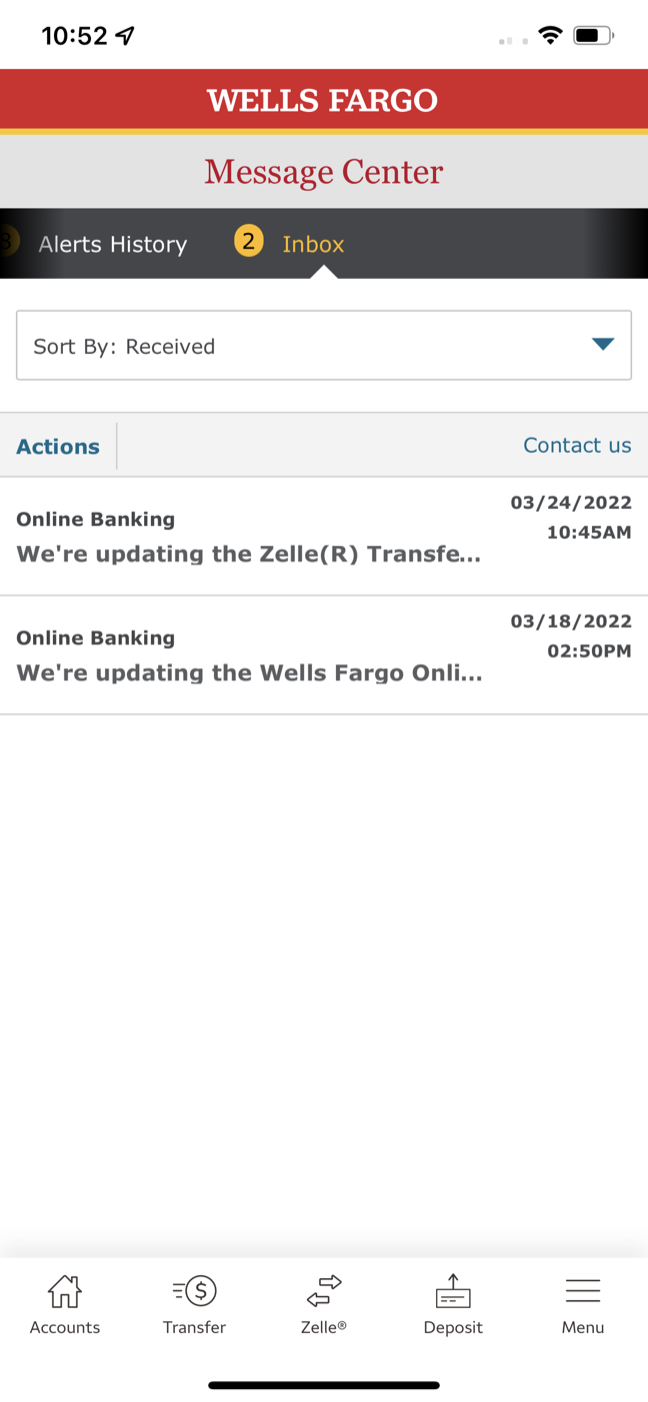
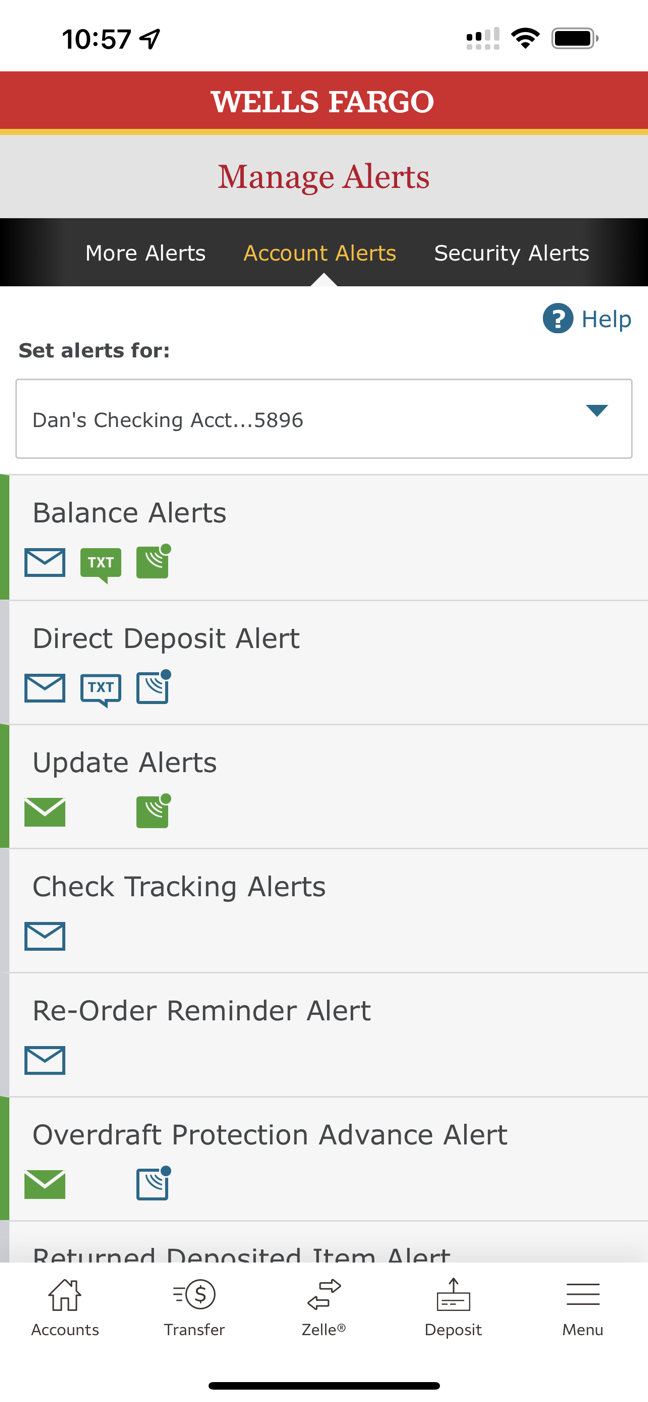
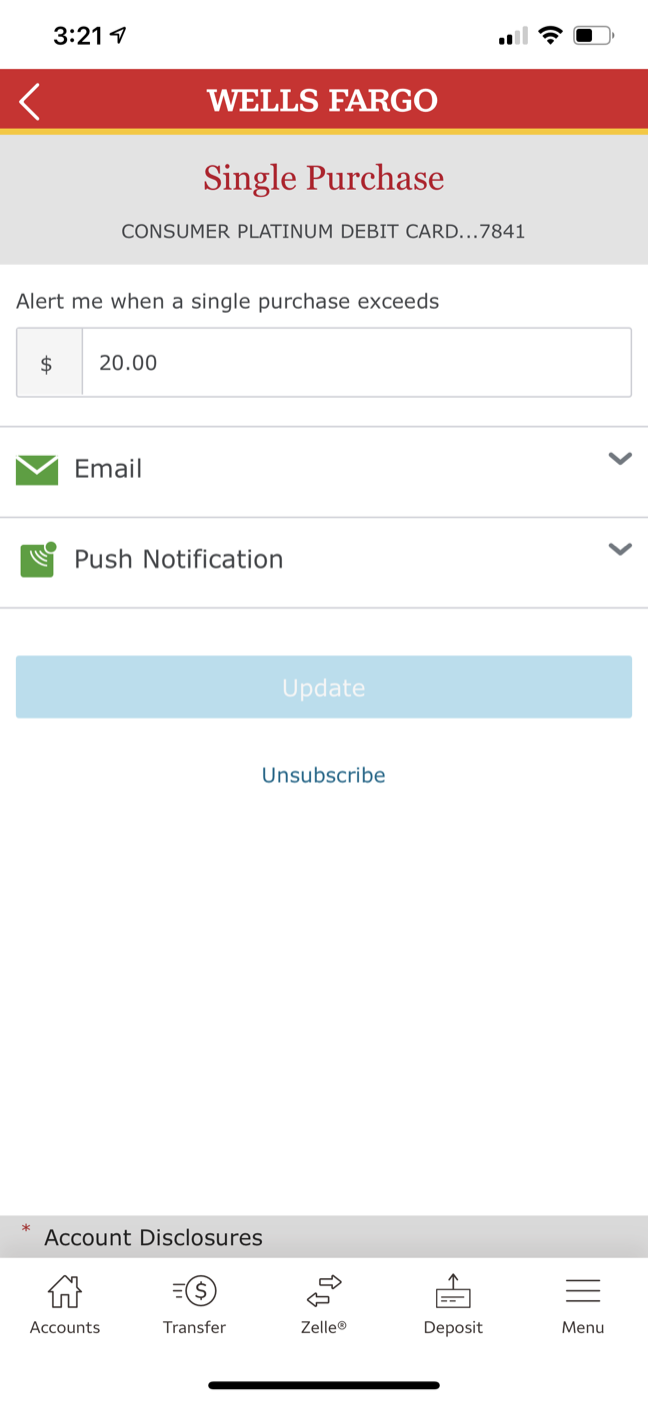
The mobile experience pulled the responsive desktop site into the app. Inbox and alert settings were separate destinations, with another layer of tabs inside each. The settings screens used dated desktop patterns, with delivery options tucked into accordions.
The redesign gave us an opportunity to rethink that structure for a native mobile experience.
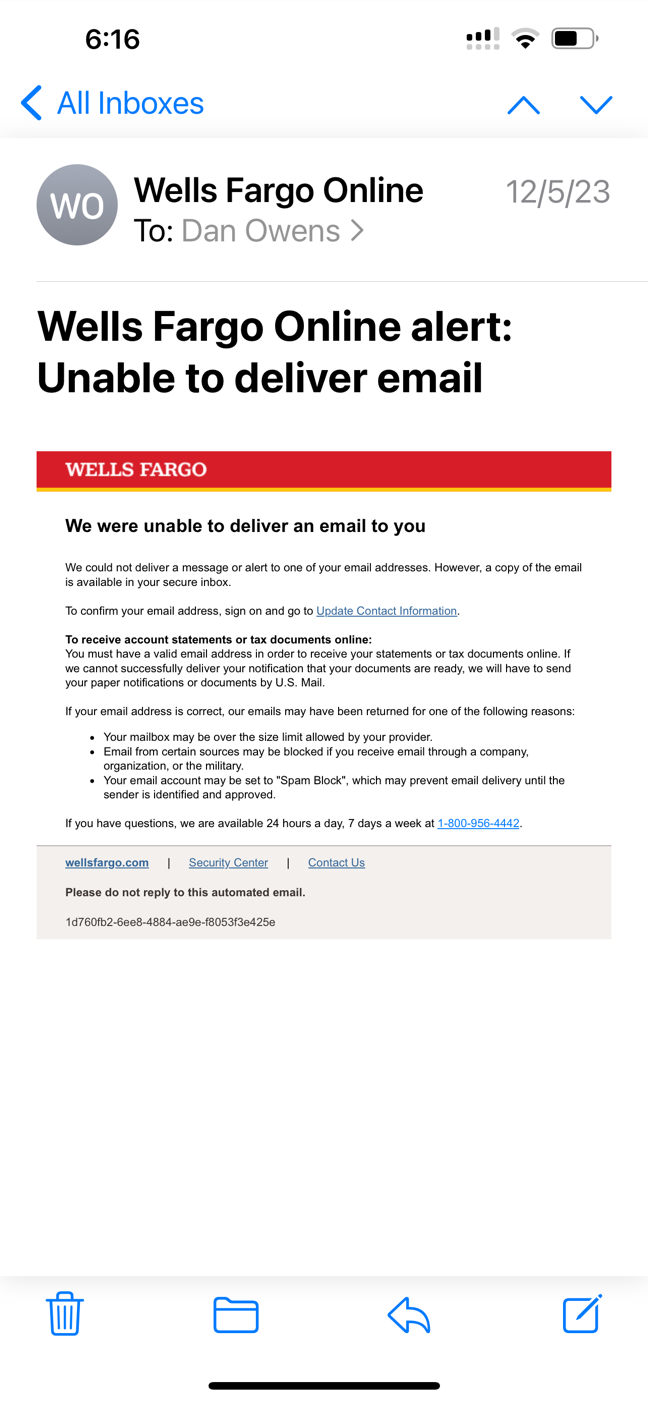
Outbound email was another challenge. The legacy template was designed for desktop, forcing users to zoom and scroll on mobile.
Alerts as a system
Alerts are a multi-channel system, not just a feature inside the mobile app.
Account activity can trigger alerts through several channels, while the mobile app gives customers one place to review and manage them.
The redesign focused on simplifying how these pieces work together.

The redesign
Three design principles
Alerts should live in one place
Bring messages and alert settings together instead of making customers navigate between separate destinations.
This should make alerts easier to find and manage.
Options should be obvious
Use mobile patterns to show available choices instead of hiding them behind tabs, dropdowns and collapsed controls.
Customers should be able to see their choices without having to hunt for them.
Alerts must be glanceable
Content and layout need to communicate the essential information immediately.
Every screen should make its purpose and next step clear at a glance.
Mobile app redesign
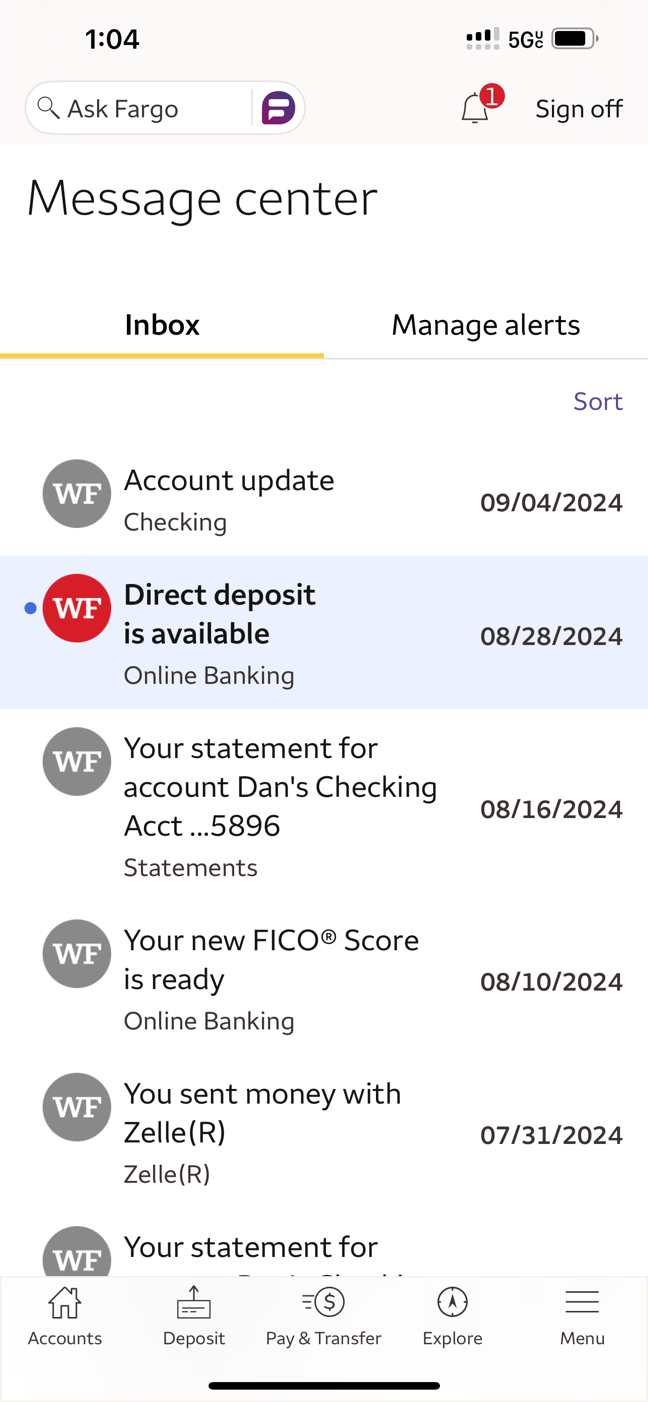
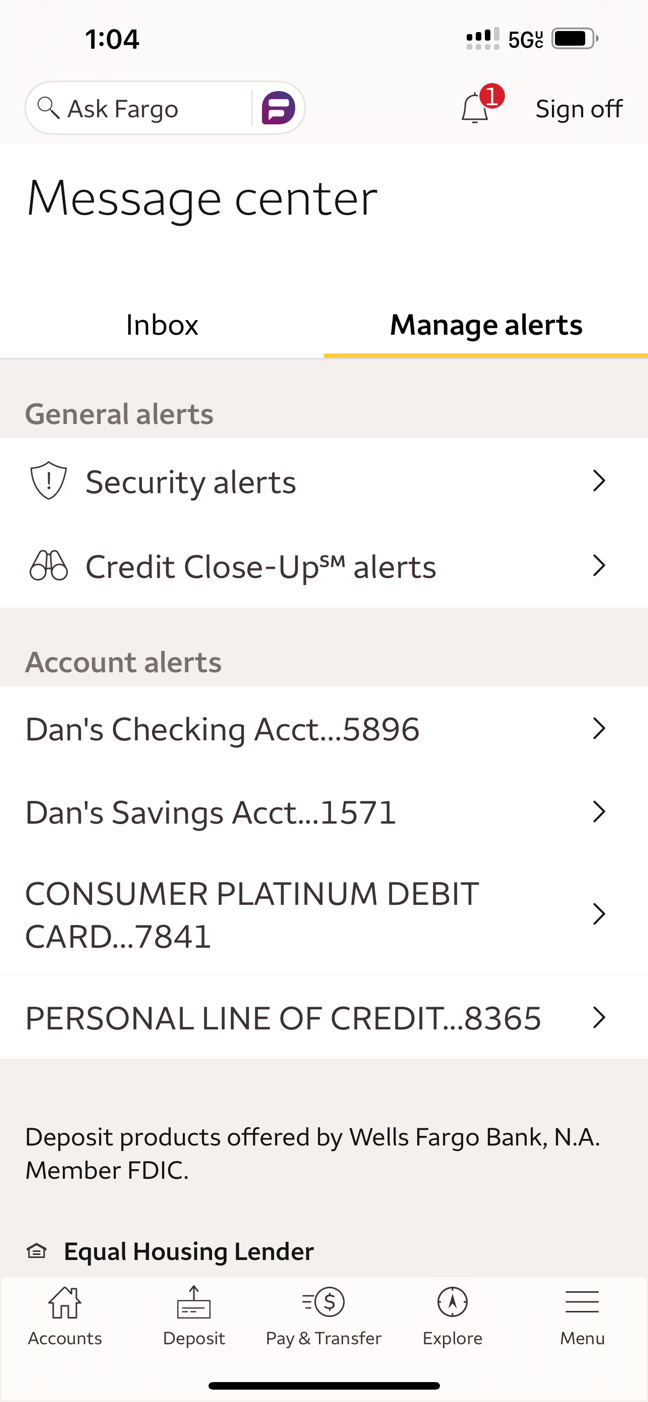
The new Message Center allows customers to quickly move between Inbox and Manage Alerts.
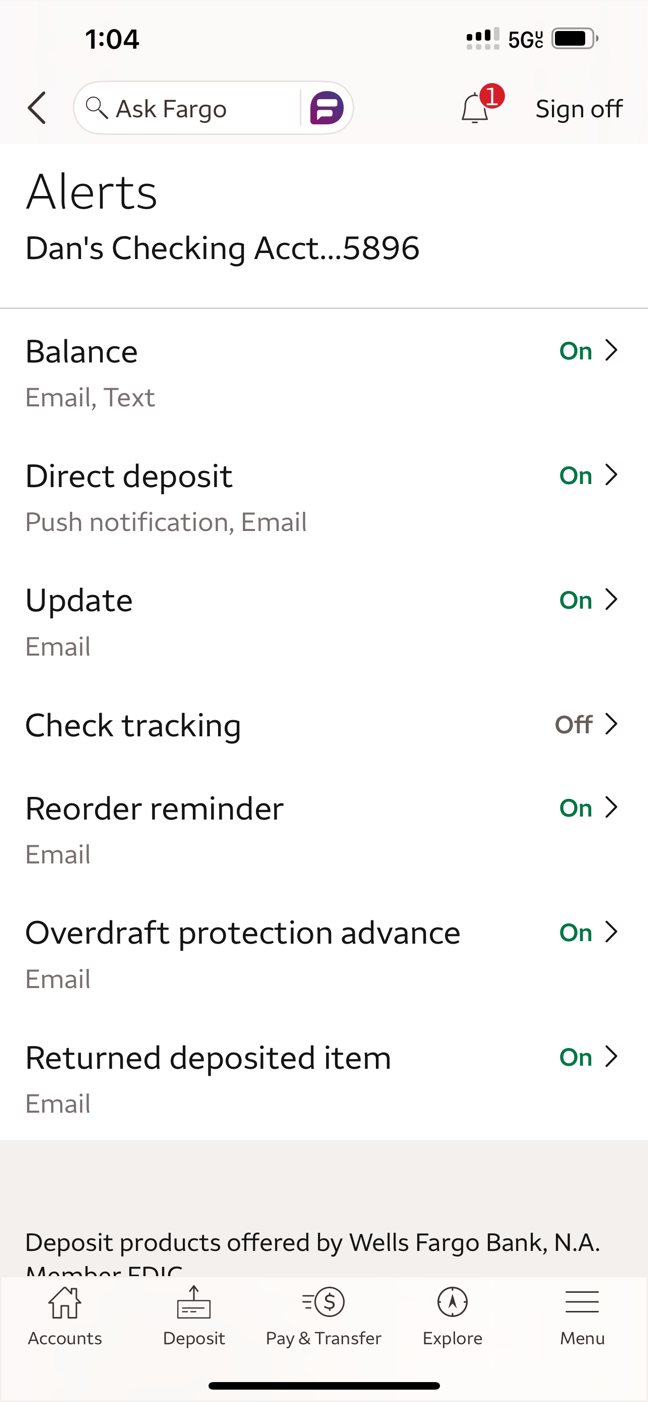
Manage Alerts puts all account types in one clear list. Selecting one shows the available alerts, with status and delivery options visible at a glance.
Reusable alert template
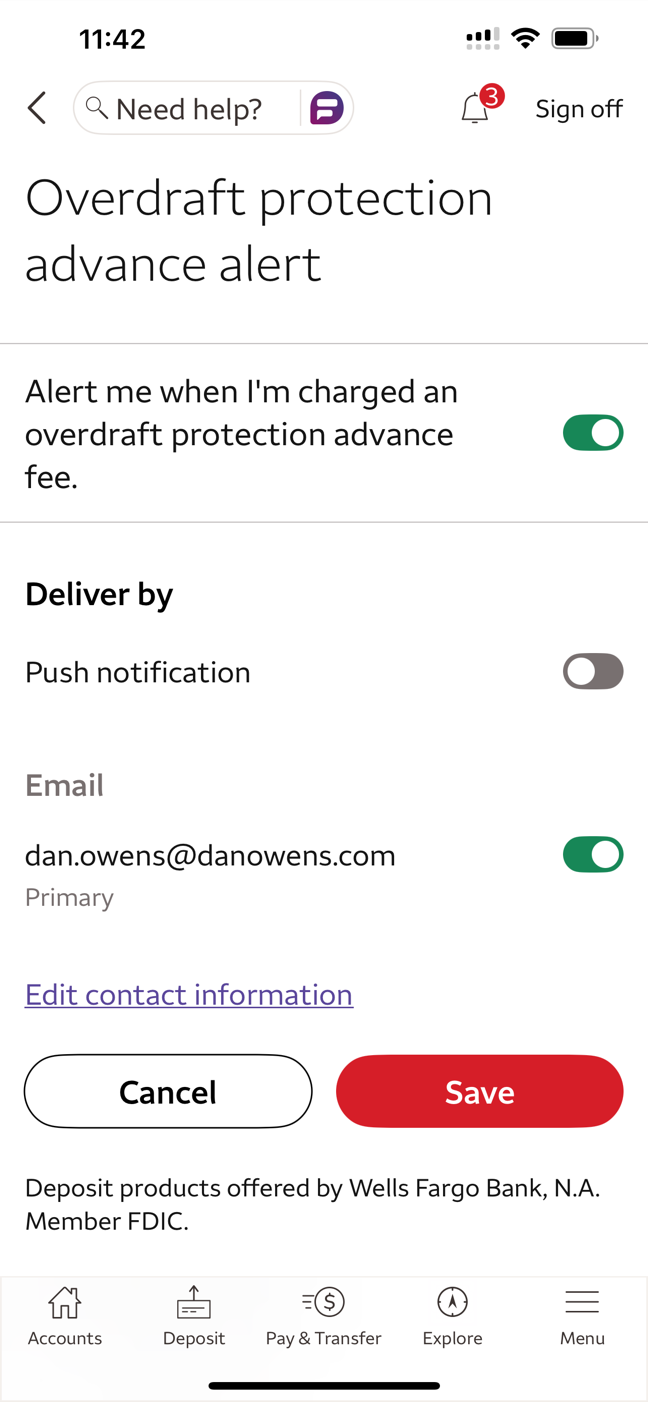
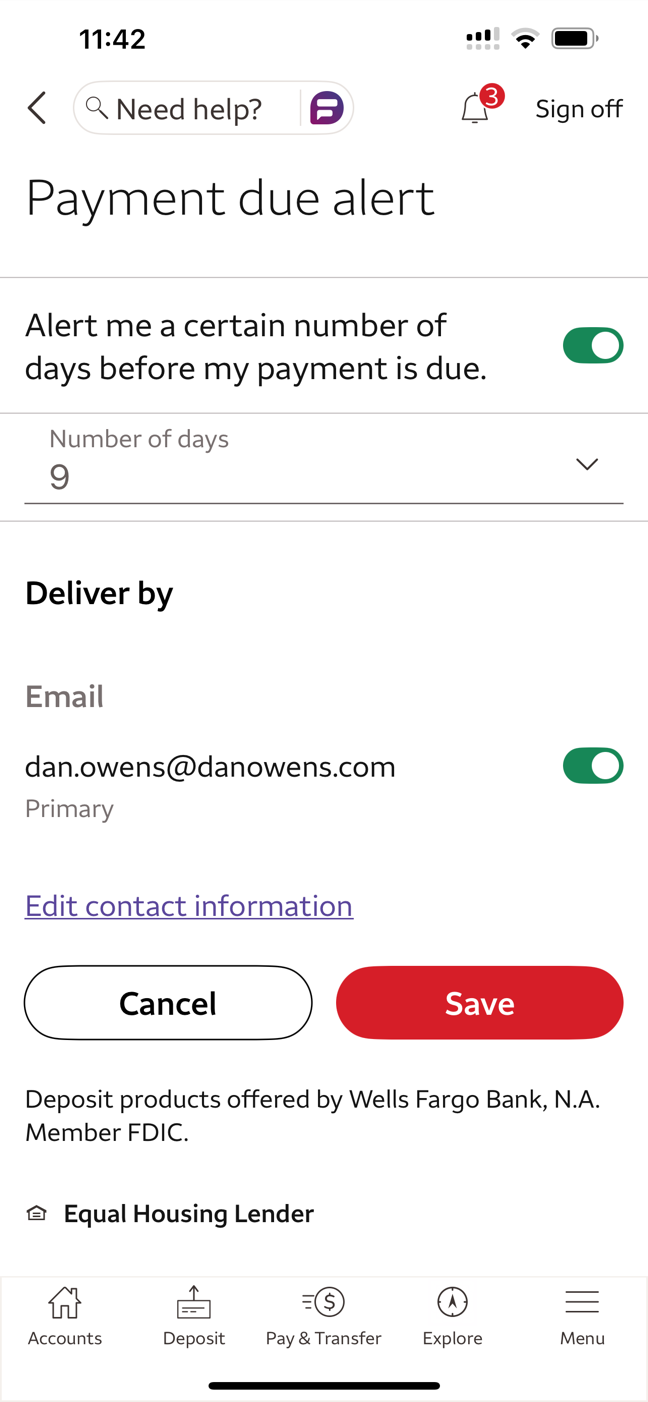
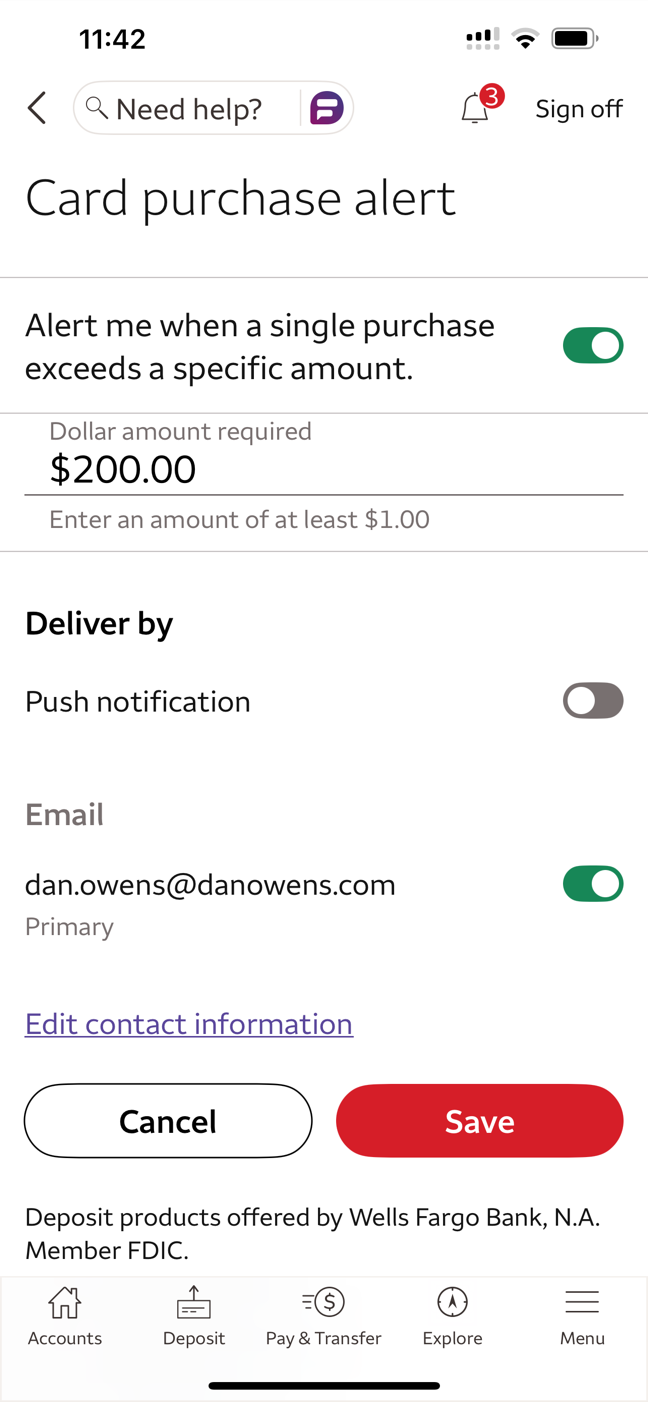
I designed a flexible subscription template that supports more than 50 alert types across 13 account categories.
Each alert screen uses a consistent structure that allows customers to quickly:
- Enable or disable alerts
- Configure any thresholds or timing
- Select delivery channels
This made it easier to add new alerts without reinventing the interaction each time.
Mobile-optimized email
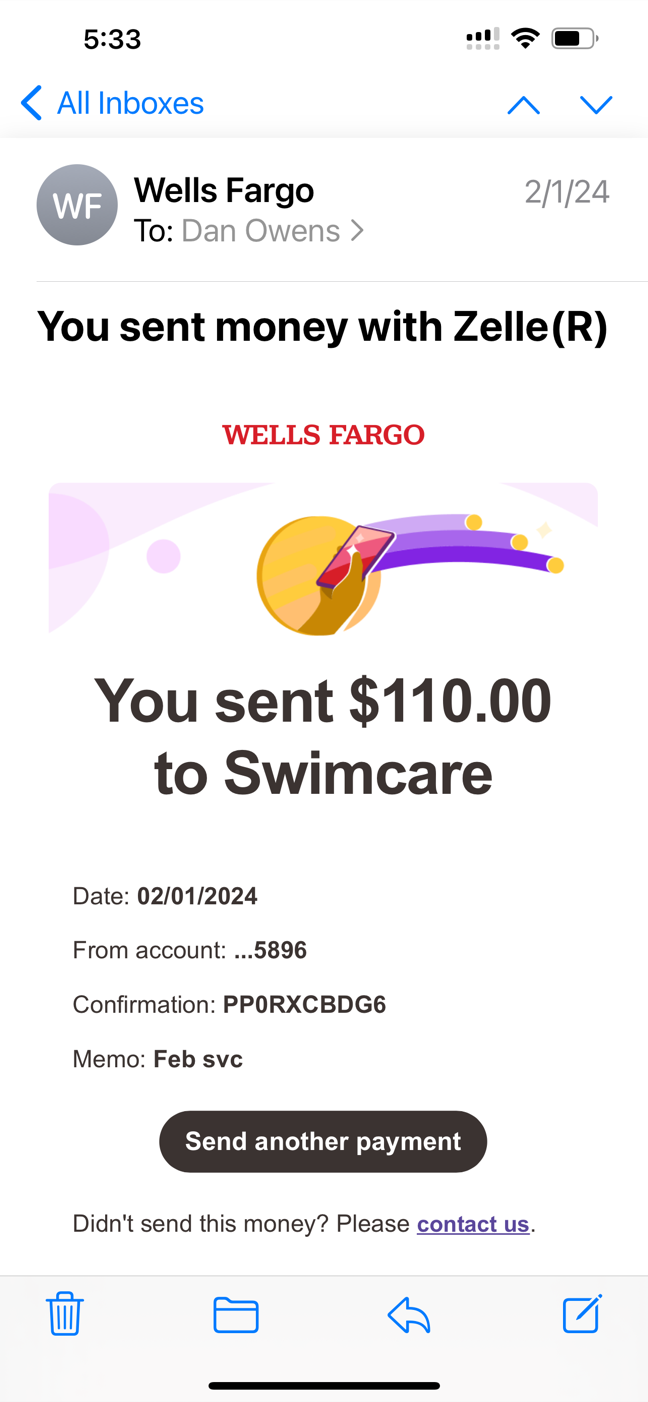
I analyzed notification emails across several industries to identify patterns that worked well on mobile devices.
The new template focused on:
- Minimal branding
- Large typography
- Concise content
- Clear hierarchy
- Prominent call to action
My guiding principle was simple:
Glanceability: eight words and a call to action.
User research compared illustration, photography and iconography. Illustration struck the best balance between clarity and warmth.
Results
Outcome
- Unified Message Center for alerts and subscriptions
- Reusable template supporting 50+ alert types across 13 account categories
- Mobile-optimized email template used for key existing and new alerts
Design lessons
Alerts sit at the intersection of information design and user trust, where clarity often matters more than branding or marketing.
This project reinforced the importance of:
- Making the purpose of every screen clear at a glance
- Keeping choices visible and easy to understand
- Treating notification content as part of the interaction design